
Codename One Settings used to be a screen inside the old GUI Builder jar. It edited project properties, managed accounts, opened signing workflows, monitored builds, installed extensions, and accumulated every job that did not have a better home.
PR #5359 replaces it with a standalone Codename One desktop application. It does fewer things, which is the point.
One command, one project
Run the new tool from a Codename One Maven project:
mvn cn1:settings
The Maven plugin resolves the com.codenameone:codenameone-settings artifact, launches it against the current project, and writes changes back to that project’s codenameone_settings.properties and Maven configuration. The tool has its own release lifecycle instead of borrowing the GUI Builder’s jar and version.
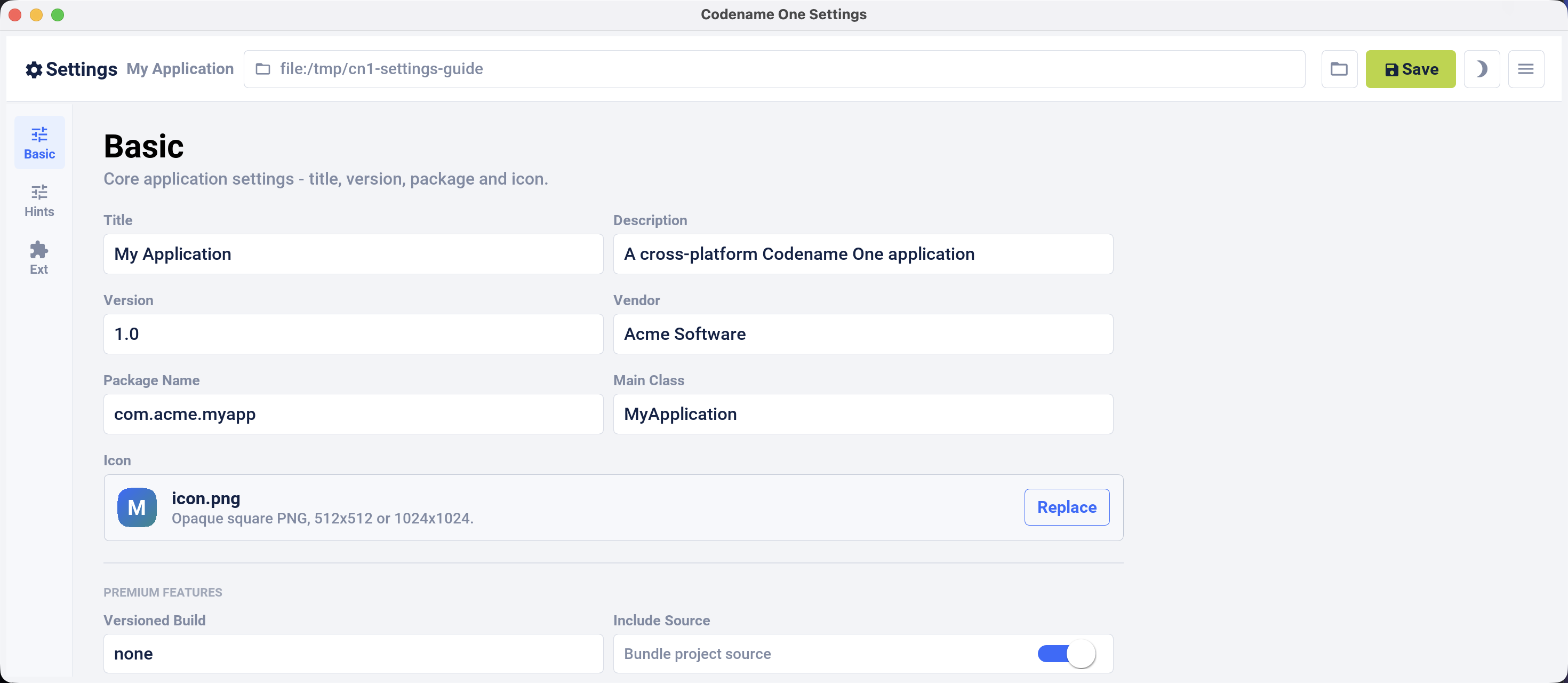
This is the new Basic screen. It keeps the properties that belong to the source project: display name, package name, version, main class, icon, and related build choices.
Build hints are searchable project data
Build hints used to feel like an untyped text file with a dialog in front of it. The new editor preserves direct key-value control, but adds descriptions, known value types, filtering, and a focused editing flow.
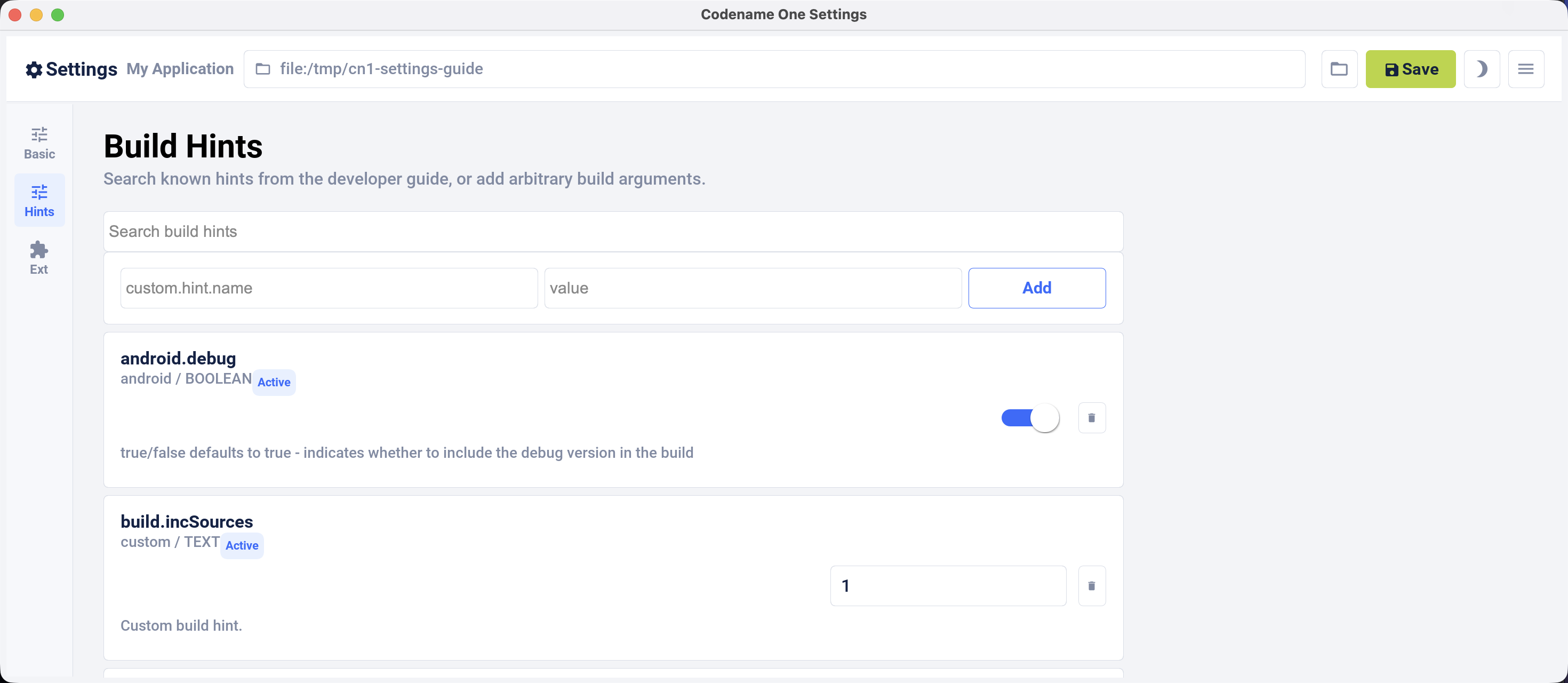
Nothing prevents you from editing the property file by hand. The Settings tool is useful when you do not remember whether the current spelling is ios.themeMode, and.themeMode, or a platform-specific signing key. It also keeps project values visible without mixing them with account state from the cloud.
For example, selecting the modern native themes still produces ordinary project settings:
nativeTheme=modern
ios.themeMode=modern
and.themeMode=modern
The file remains the source of truth. The UI is an editor, not a second configuration system.
Extensions keep compatibility warnings
The Extensions screen browses the live catalog and installs or removes both Maven dependencies and legacy cn1lib packages. It also retains bundled compatibility metadata when the live catalog omits it. That matters for older entries such as AdMob full-screen ads, where installing an obsolete library without a warning is worse than showing stale-looking metadata.
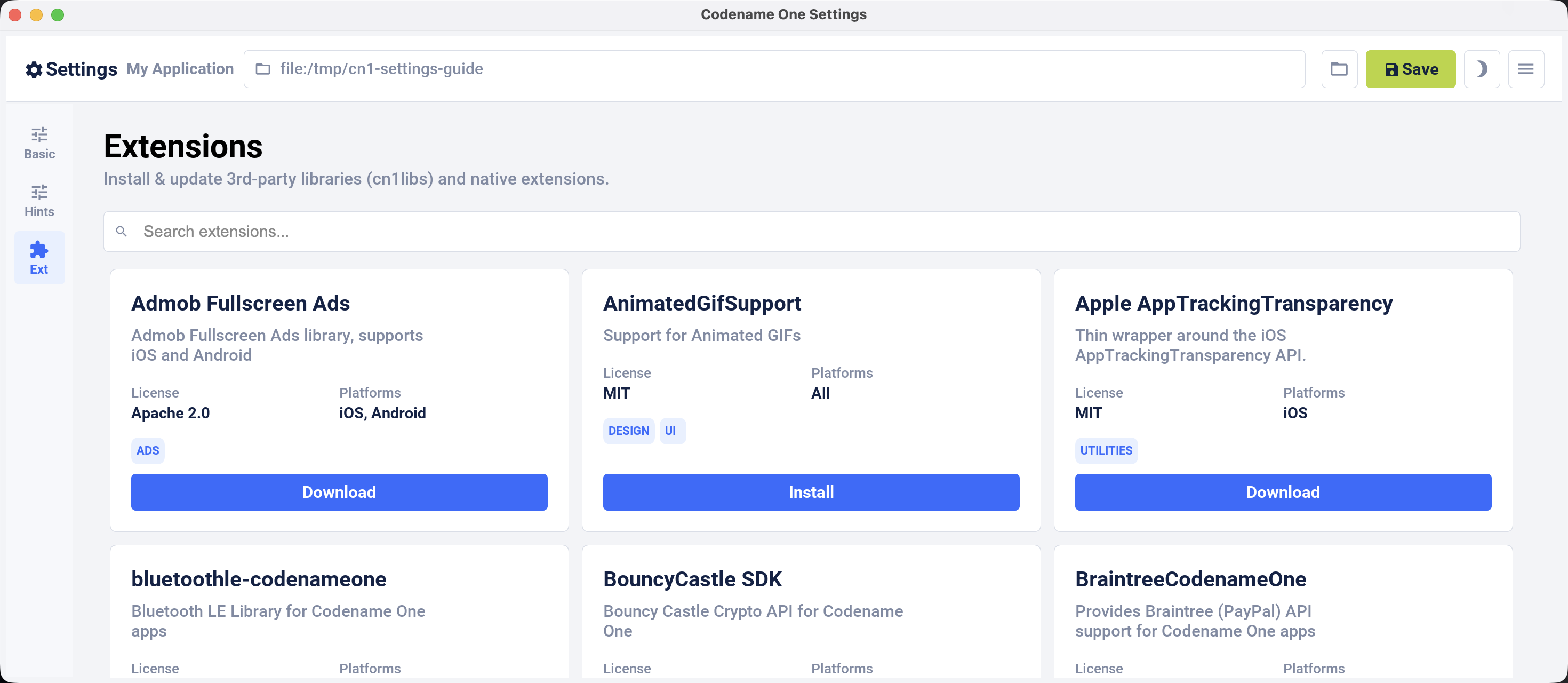
The implementation includes install and uninstall tests for both dependency models. It also handles light and dark appearance, keyboard focus, text caret behavior, native menus, the application icon, and a real desktop About dialog. The tool itself is built with Codename One, which gives us a useful test of the JavaSE desktop path every time we edit it.
What moved out
The smaller scope is easier to understand:
| Job | Where it lives now |
|---|---|
| Project name, version, package, icon | Codename One Settings |
| Build hints and themes | Codename One Settings |
| Extensions | Codename One Settings |
| Apple and Android signing assets | Certificate Wizard |
| Account login and security | Account Security |
| Cloud build monitoring | Codename One website |
Accounts do not belong inside a project-property editor. Certificates have enough platform rules to justify their own tool. Build monitoring belongs next to the builds. Removing those sections leaves Settings with one durable responsibility: edit the project you launched it from.
The migration cost
The new editor is distributed as a separate Maven artifact and its application is built on Java 17. The release workflow now has to publish that reactor after the core release and keep its versions aligned with the Maven plugin. That is more release plumbing than embedding one more screen in guibuilder.jar.
The payoff is separation. We can change Settings without shipping a GUI Builder update, and the GUI Builder no longer carries account, certificate, catalog, and project-editor code that it does not own.
The old settings UI is gone from cn1:settings. If your documentation or script tells users to open the Control Center for project properties, change it to the command above. Signing instructions should point to mvn cn1:certificatewizard instead.
Tomorrow’s post covers the opposite kind of extraction. Widgets and Live Activities live outside your app’s window, but one declarative Java model now updates them across iOS, Android, Windows, Linux, and the simulator.
Discussion
Join the conversation via GitHub Discussions.